1. Make sure you enter GB SIM to the wifi device
2. Connect WiFi from your smartphone in the wifi setting
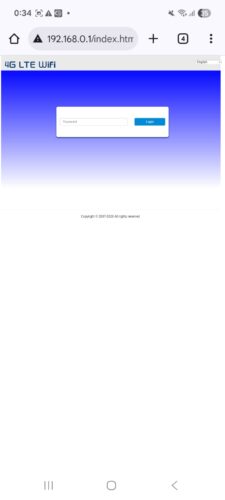
3. After making sure the connection, tap web browser and access 192.168.0.1/index.html
You will see the site below but no internet connection yet.
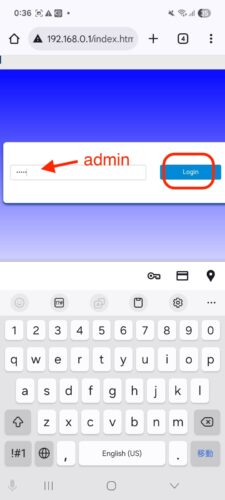
4. Type “admin” and login
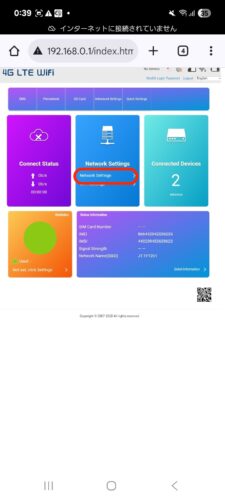
5. Choose Network settings
6. Choose APN and click Manual
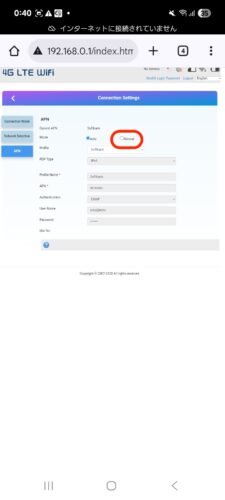
7. Choose New APN
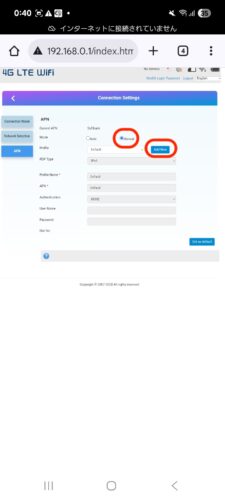
8. Fill out the APN info as below:
-
- Name: GB
- APN: plus.4g
- user name: plus
- password: 4g
- Authentification: CHAP
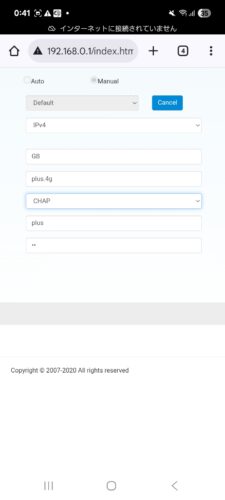
9. Set as default
Then it should be OK. If apn info is correctly setup, you should be able to connect internet. If no connection yet, you may try to restart wifi device or network.