How to pay monthly at Convenience Store nearby your house
Monthly payment can be made at the following convenience stores:

Item:
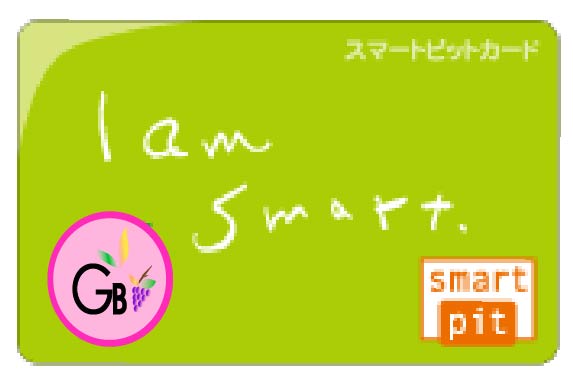
smartpit card.
List of Convenience Store:
Click below to check how to make a payment for each place.
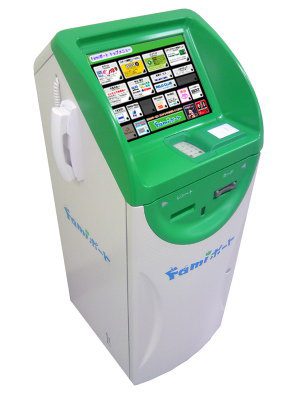
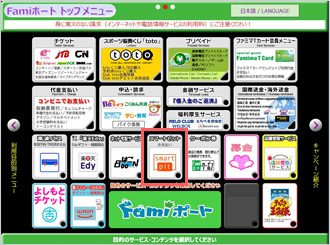
Click “smartpit”
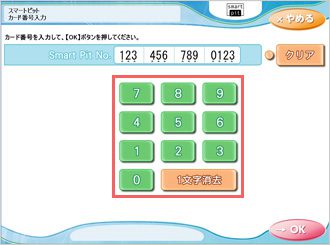
Type “your smartpit number”
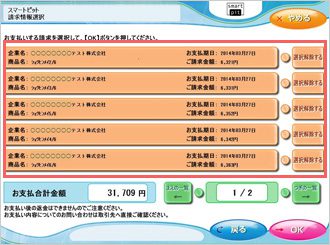
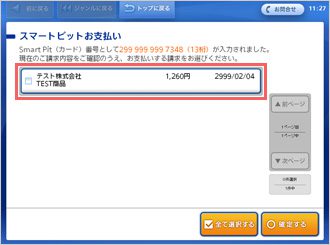
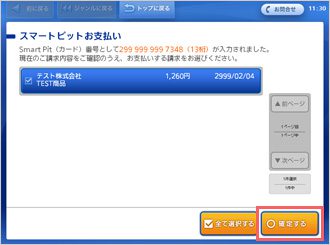
Choose one payment from the list.
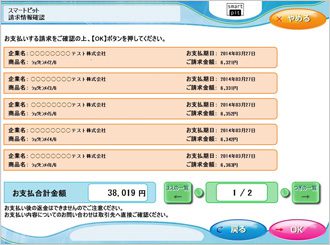
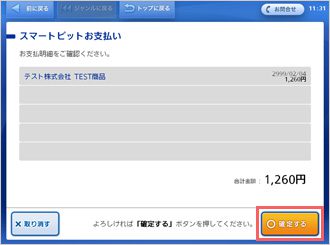
Confirm and press OK
Then take the receipt coming out from the machine to the cashier to make a cash payment.
Well done!
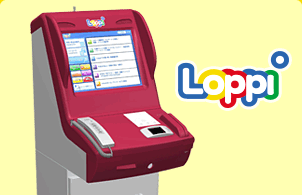
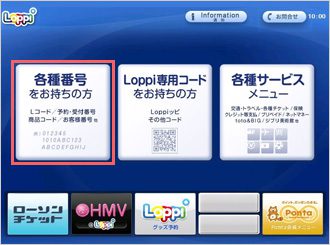
For Lawson, first go to Loppi machine inside store.
Then follow the direction below.
Tap the below in Red mark.
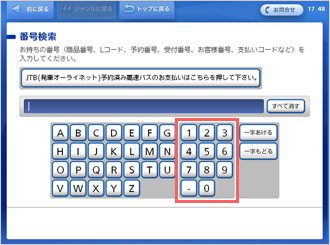
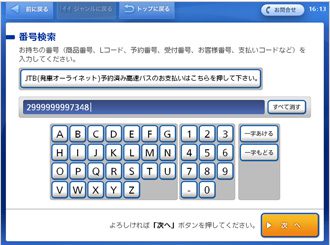
Type “your smartpit number”
Press “次へ”
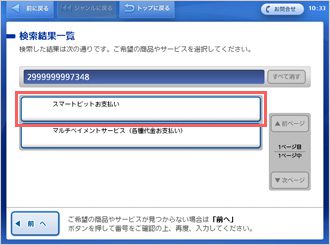
Click red mark below.
Click one payment from the list.
Tapo the red mark
Confirm and press red mark.
Take the receipt coming out of machine to the cashier.
Well done!
For other convenience stores, please take the smartpit card to cashier directly.
Thank you very much!
For any question or further assistance regarding how to pay monthly at covenience store, please contact our customer service at facebook or by call 080-4630-1505.
Thank you.
GoodBranch